Catch every copy, even the edited ones
Near-duplicate detection for images and videos. Keep removed, stolen or copyrighted content off your platform, even when it comes back cropped, filtered or captioned.


Matches a removed image
Same photo, with a text overlay added.
"matches": [{ "custom_id": "post-1093", "score": 0.96 }]
Edited, cropped, filtered. Still a match.
People edit images to get past filters. Every version below is detected as a copy of the original.
Original
The image you added to your list.
Text overlays
Captions, watermarks and logos.

Stickers and shapes
Emojis and graphics covering parts of the image.

Crops and borders
Tight crops, letterboxing and frames.
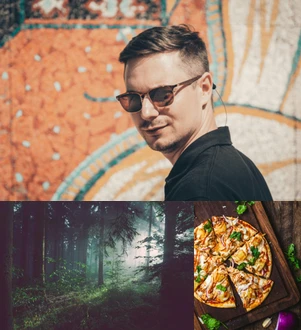
Collages
The image inside a multi-image layout.

Blur
Gaussian or motion blur, and pixelation.

Color changes
Filters, tints, grayscale and contrast shifts.

Flips and stretches
Mirroring, rotation and aspect-ratio changes.
Build a list, check every upload
You choose what should never appear twice. We tell you when it does.
Add the content to watch for
Removed posts, copyrighted media, or everything already on your platform. From the dashboard or the API.
Send each new upload
One API call compares it against one or more of your lists.
Get the matches back
Each match comes with its ID and a score between 0 and 1. Block, flag or review.
Removed once, gone for good
Content you take down tends to come back slightly altered, and a file hash won't recognize it. Near-duplicate detection does.
Disallow lists
Stop removed or illegal content from being uploaded again.
Spam
Spot the same image posted again and again.
Photo theft
Catch profiles and listings built from other users' photos.
Copyright
Find protected images and video clips in user uploads.
Quick and easy to integrate.
Same endpoint and same API keys as every other Sightengine model. One parameter adds an image to a list, another checks against it.
# add an image to a list
curl -X POST 'https://api.sightengine.com/1.0/check.json' \
     -F 'media=@/path/to/original.jpg' \
     -F 'add_to_list={LIST_ID}' \
     -F 'custom_id=post-1093' \
     -F 'api_user={API_USER}' \
     -F 'api_secret={API_SECRET}'

# check a new upload against the list
curl -X POST 'https://api.sightengine.com/1.0/check.json' \
     -F 'media=@/path/to/new-upload.jpg' \
     -F 'lists={LIST_ID}' \
     -F 'api_user={API_USER}' \
     -F 'api_secret={API_SECRET}'
{
  "status": "success",
  "request": {
    "id": "req_1SJJxJjUHnSVWreApx9fF"
  },
  "similarity": [
    {
      "list": { "id": "{LIST_ID}" },
      "matches": [
        {
          "id": "med_1SJDfFuLAFj34TlAMfksaA",
          "custom_id": "post-1093",
          "score": 0.96     // near-duplicate
        }
      ]
    }
  ],
  "media": {
    "id": "med_1SJJEFuLqeSedThQjhNoS",
    "uri": "new-upload.jpg"
  }
}
Videos too
Video matches list the segments both clips share, with start and end times, sent to your callback.
Your own IDs
Tag items with a custom_id and get it back on every match.
Manage lists in the dashboard
Create lists and add images without writing code.
Part of a complete content-analysis platform
Duplicate detection catches what you've already seen. Moderation and AI detection handle what's new.
Frequently asked questions
What counts as a near-duplicate?
An image or clip that comes from the same source as an item in your list, even after it has been edited. That covers resizing and re-encoding, crops and borders, text and sticker overlays, blur, color filters, flips, rotations, collages and blends with other images. It works on photos, drawings, screenshots and anime alike.
How should I read the score?
Each match comes with a score between 0 and 1. The higher the score, the likelier the upload is a copy of that item. Anything above 0.5 can usually be treated as a duplicate. Raise or lower that threshold depending on how strict you need to be.
Does it work on videos?
Yes. Video lists work the same way as image lists. Since videos take longer to process, results are sent to your callback URL instead of coming back in the API response. Each match lists the segments the two videos have in common, with start and end times.
Does it search the whole web?
No. Uploads are only compared against the lists you build. You decide what goes in: previously removed content, copyrighted material, or every image already published on your platform.
Can I use my own IDs?
Yes. Pass a custom_id when you add an item and it comes back with every match, so results link straight to your own records. You can also use it to remove the item from the list later.
How do I get started?
Create a list from your dashboard, then add items there or through the API with the add_to_list parameter. To check an upload, send it with the lists parameter. The documentation walks through each step, for images and for videos.
See why the world's best companies are using Sightengine
Empower your business with Powerful Content Analysis and Filtering.
GET STARTEDREQUEST DEMO